

Filter Post Type
Sort:
Most Recent
Tagged:IntelliCulture
1–10 of 10
Stay Connected in the Field with New SMS Alerts in AlertView
Intelliculture is excited to share that you can now set up SMS alerts in AlertView so you catch them on the field. Getting Started: Just like setting up email notifications, you can do so with SMS in the rule configurations in AlertView. Each text includes an alert name, vehicle, and a link to see the full details. Admins will need to add phone numbers for users in User Settings and subscribe them as shown below. You'll receive a confirmation text - just reply YES to activate. Reply STOP anytime to opt out, or START to turn them back on. Non-admins can subscribe their own phone numbers via Personal Settings as well. Many growers are using AlertView to catch unnecessary idles and missed inspections in real time. If you don't have any rules set up yet, reach out to your Customer Success rep to get started.
00
Now See Who's Behind the Wheel with Intelliculture
We've heard you loud and clear - when you spot a machine idling too long or running inefficiently, the first question is always "who was operating it?" Until now, finding that answer meant digging through data and piecing things together. Not anymore. Operator Data in CropView CropView now displays operator assignments for each machine. Reviewing field coverage? You'll see who was behind the wheel at a glance. Operator Data in StatsView View reports by operator - see exactly who's racking up the most idle time, or compare efficiency across your team (i.e. mph, ac/hr). Just select "Operator" in the View By dropdown on reports like Idling or Farming Efficiency. Why This Matters: When you see a machine that's been idling excessively or underperforming, you'll know exactly who to talk to. This means faster coaching conversations and better accountability across your operation. Learn More
00
Smarter Spraying, Bigger Savings: CropView’s New Speed Monitoring
Intelliculture's CropView Just Got Smarter. Exciting news for vineyard managers! CropView has introduced a powerful new feature to enhance spray application precision and efficiency. Users can now monitor spray speeds by block area, ensuring greater consistency. CropView Target Speed Display Spray application in vineyards requires careful speed management to ensure proper coverage while avoiding waste. With the latest update, CropView now monitors your spray speeds by block area, allowing you to maintain optimal application rates throughout your vineyard. By identifying and adjusting spray speeds in real time, vineyard managers can now achieve: Decreased Input Costs & Use by reducing over-application of sprays when speeds drop below target levels. Improved Disease Prevention by ensuring every vine gets the required coverage and reducing the risk of outbreaks caused by inadequate application. Get Started in Two Easy Ways: Task settings: set the target speed in y
11
Preventing Big Costs with Small Insights from Intelliculture's StatsView
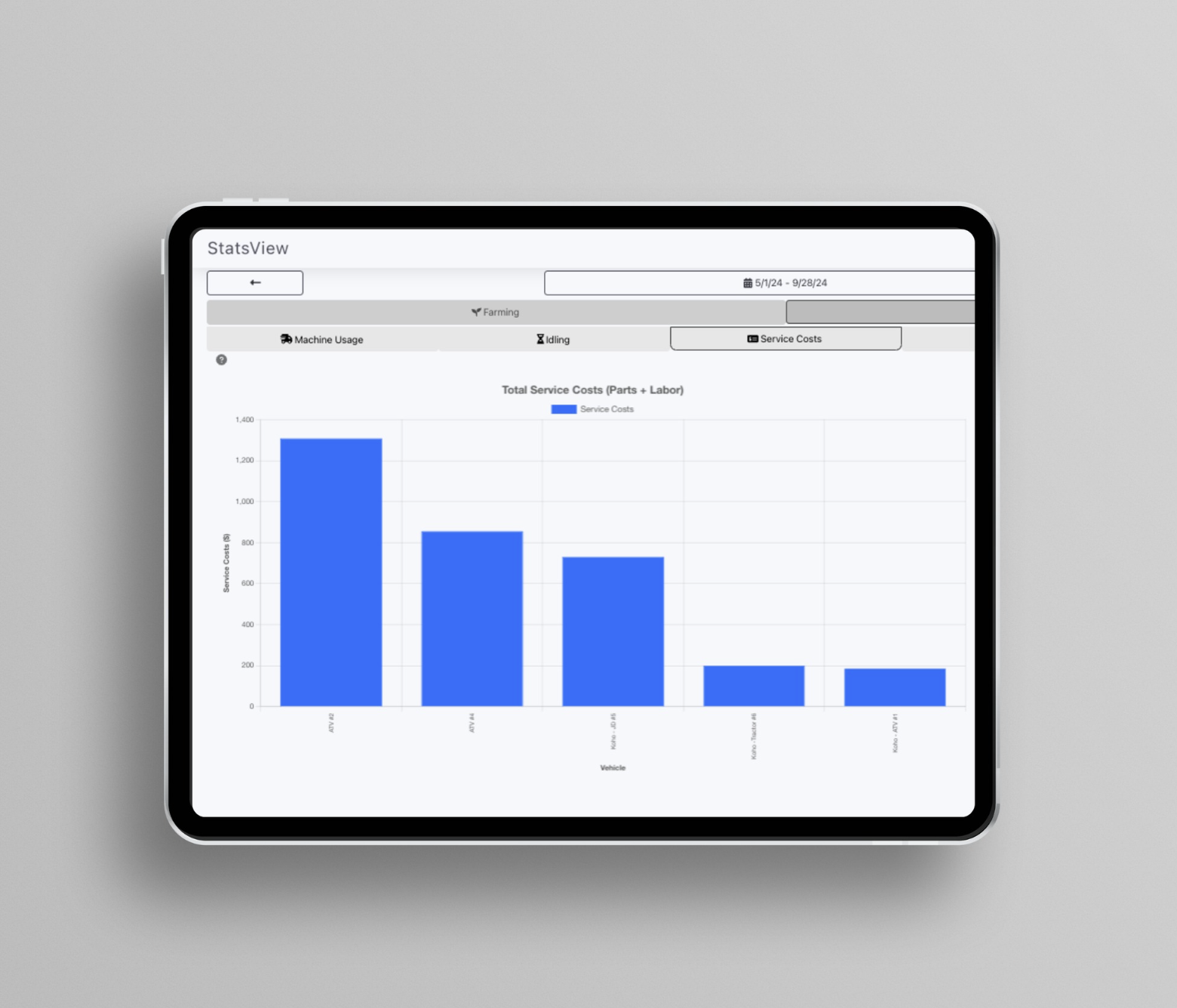
One of our growers had an old tractor that had developed a bit of a wheeze—no warning lights, just a concerning rumble hinting at trouble. He’d grown used to it, like a familiar creak in the floorboards. Though he diligently logged expenses in StatsView, he hadn’t fully explored its reporting features—kind of like owning a Swiss Army knife and only using the bottle opener.  One slower afternoon, he decided to look into latest StatsView update. There it was: the maintenance costs for that tractor were creeping up, significantly higher than the others. Curious, he dug deeper and discovered the issue: fuel consumption. The old workhorse was thirstier than he realized. This sparked a thought. He checked the fuel injectors—something he might not have considered otherwise. Sure enough, one was clogged. A simple fix, and he avoided a potentially costly engine repair, all thanks to a timely insight. That’s the beauty of StatsView: it gives farmers th
00
Unlock Greater Efficiency with StatsView's GHG Emissions Tracking
This harvest, StatsView is here to empower you with actionable insights that can elevate your bottom line! One standout feature is GHG Emissions Tracking, which estimates the greenhouse gas emissions from each machine in your operation. With this essential data, you can: 1) Assess your sustainability efforts. 2) Strengthen applications for GHG reduction grants and tax benefits. 3) Operate more sustainably while maximizing yields.  By using StatsView, you’re not just optimizing your equipment; you’re making a strategic investment in balancing profitability with environmental responsibility for today and the future.  Ready to discover how StatsView can transform your operations? Visit www.intelliculture.com or send us a message!
00
How Asset Monitoring Can Slash Equipment Downtime and Boost Productivity by Up to 50%
Keeping operations running smoothly on the farm isn't easy these days—margins are tight, and a ton of potential work time is lost to equipment downtime. In fact, reports show the average farm loses 40-50% of potential productivity in this way - Ouch.  The first step to regaining that lost productivity is gaining a clear picture of what's really happening in the fields. Investing in an asset monitoring system can reveal exactly where the issues lie, whether it's persistent maintenance problems or older machines running less reliably. Armed with that data, growers can then set meaningful goals, such as minimizing downtime hours or boosting overall throughput. They can share these metrics across the team to foster accountability and promote open collaboration. Cross-department incentives can also create opportunities for everyone to contribute. IntelliCulture can help your team implement this data-driven, collaborative approach to optimize your farm's pr
00