
We're happy to share the newest features and improvements.
The AI Advisor has arrived to the mobile app
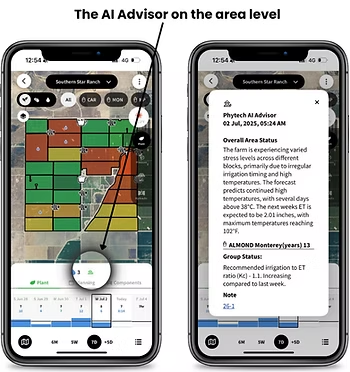
It’s been 3 months since we’ve launched the AI Advisor, now we’re happy to make it available on the mobile app as well.
An Intelligence that keeps on growing
The Phytech Advisor is a new personal irrigation advisor, that encompasses all of Phytech's "know-how" data and the agronomical season central marks for each crop, to provide a brief overview status of the block and the area.
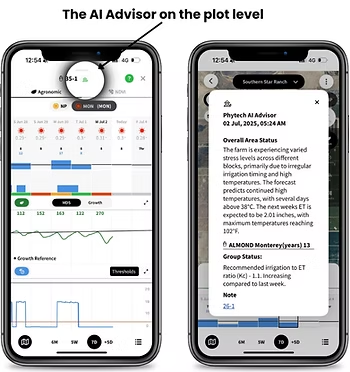
The current output is a simple and clear agronomic summary of the block’s status (for a project view) or, in area view, a general summary —highlighting key insights for specific groups of blocks (e.g., blocks of a certain variety).
Currently, all crops are active in the Northern Hemisphere except for row crops in the United States
What is it and why we built it:
Usability:
Component list icon – opens the list of hydraulic components
Diagram icon – opens the hydraulic diagram view
As part of this change, the component list icon was moved from the upper right corner to a more accessible location next to the Hydraulic toggle, alongside the new diagram icon.

Planner (web) A New Cooling Template
What is it:
Benefits:
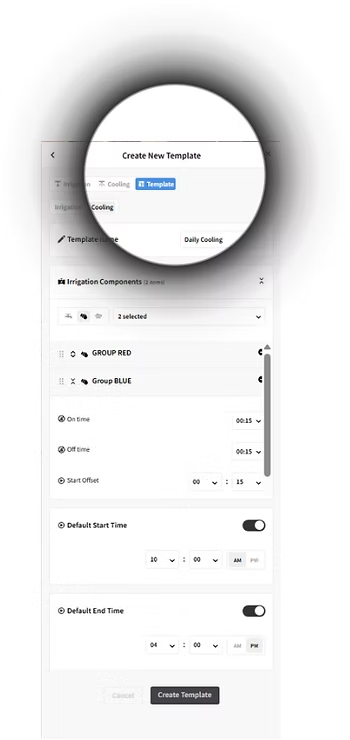
Save time – Set once, apply anytime
Prevent errors – Built-in smart defaults
Consistent execution – Standardized across components
How It Works:
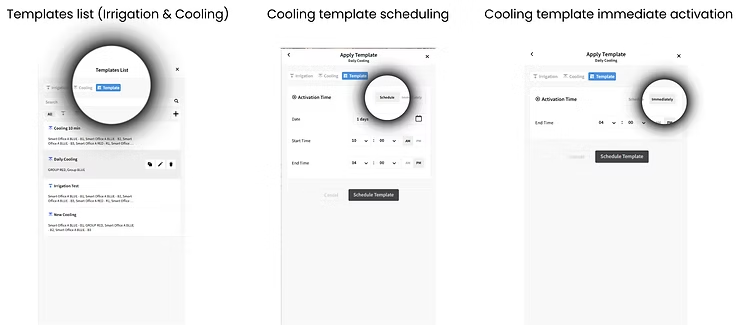
Create a cooling template – Define a name, select components, and apply preset logic.
Schedule cooling – Set start/end times and apply the template to desired dates.
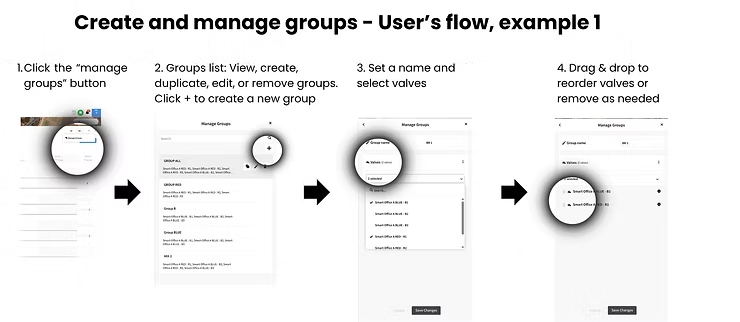
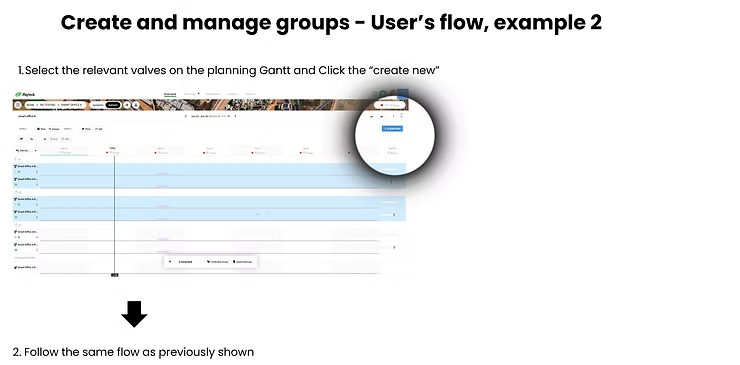
Planner (web): Create and Manage Groups
What is it:
Enable users to create and manage valve groups for efficient irrigation planning and execution.
Benefits:
Simplifies scheduling by grouping valves, reducing manual effort and improving irrigation control.
Key Functionalities:
Create, edit, copy, and delete valve groups.
Assign a leading valve for structured irrigation.
Drag-and-drop to adjust irrigation order.
Seamless integration with Planner Web scheduling.
Audience:
Farm managers, agronomists, and irrigation planners.